

Java Full Stack · Kukatpally & KPHB · AI-Ready
Java Full Stack Training in Hyderabad
Become a Job-Ready Java Full Stack Engineer
With AI-Assisted Development, Real Projects & Interview Preparation
Build like product teams. Explain like an architect. Interview with calm.
Stack: Java · Spring Boot · Hibernate · AngularEdge: AI-assisted dev workflows
5.0
5.0
4.6
Why learners choose this room
Mentorship from builders who still ship
Twenty years of delivery. Thirty-five thousand careers touched. Enterprise habits taught on day one.
20+
Years shipping & mentoring
Core Java through Spring Boot — delivery shaped by real product teams, not slide decks.
35,000+
Engineers trained
C, C++, Java, Angular — cohorts across Hyderabad campuses and live online.
Enterprise
Delivery exposure
REST APIs, Hibernate, microservices patterns, and code reviews that mirror MNC benches.
Architecture
Design depth
Layered backends, clean APIs, and system design you can defend in panels.
Your Java story
From first confusion to first offer
For learners tired of shallow tutorials — ready for discipline product teams respect.
Start
From tutorial fatigue to clarity
“I finally understand how a real Java app is structured.”
You move past copy-paste exercises into layered Java, Spring APIs, and databases explained the way teams review code.
Build
Portfolio that earns interviews
“My GitHub finally looks like a developer’s work.”
End-to-end modules, authentication, JPA mappings, and front-end integration — artefacts you can demo calmly.
AI edge
Ship faster without losing craft
“AI helps me — it doesn’t replace my thinking.”
Prompt patterns for scaffolding, tests, and refactors — with mentor guardrails so you still own architecture decisions.
Place
Calm in the technical room
“The panel felt like a conversation, not an ambush.”
DSA refresh, project walkthroughs, Java-specific interview drills, and mock rounds until your story feels natural.
Market differentiator
The AI-ready Java engineer panels want next
Use Copilot and LLMs without shipping fragile code — accelerate delivery while keeping architecture and review discipline.
- Guard-railed AI workflows in daily labs
- Code you can defend in technical interviews
- Patterns MNC Java teams expect in 2026
AI pair-programming hygiene
When to accept Copilot suggestions, when to reject them, and how to verify generated Java against your design.
Scaffold → refine workflow
Use LLMs for boilerplate (entities, DTOs, test stubs) then apply Java idioms, SOLID, and performance sense in review.
Documentation & API design
Generate OpenAPI drafts and README outlines — then tighten them for real consumers and interview storytelling.
Interview-ready explanations
Practice articulating trade-offs: Spring vs plain Java EE, when to split services, how you’d scale a REST API.
Become an Industry-Ready Java Full Stack Engineer
Hyderabad · Kukatpally & KPHB · Campus & live online cohorts
Java CoreOOP, collections, concurrency
Full Stack WebSpring Boot · Hibernate · Angular
Data & APIsSQL, REST, integrations
AI-Assisted DevCopilot-ready workflows
Monopoly IT Solutions offers Java full stack training in Hyderabad (Kukatpally & KPHB) for engineers who ship — Core Java, Spring Boot APIs, Hibernate, SQL databases, Angular, deployment basics, clean architecture, and interview-grade system design tied to real projects.
Led by mentors with 20+ years and 35,000+ learners trained. Practical cohorts: repos, checkpoints, demos, and review culture — not theory marathons. See the full syllabus.
01
Beyond syntax certificates
Most institutes stop at basics. We connect Java, Spring Boot, SQL, and UI into deployable features hiring managers recognise.
02
Enterprise habits early
Logging, configuration, dependency injection, testing hooks, and PR-style reviews — habits product teams expect from day one.
03
Market edge with AI
Graduates who only know syntax are everywhere. You leave knowing how modern Java teams actually build — with AI as a lever, not a crutch.
Career horizon
The Java engineer path — and where you can grow
A realistic ladder from junior contributor to architect (varies by company).
Java FullStack Course Includes
200 Hours of Training
400 Hours of Practice
Project Related Scenarios
Flexible Class Timings
Individual Doubts Clarification
Career Guidance
 Add-ons
Most of the Java Jobs in the industry expect the following add-on skills. Hence, we offer these skills-set as FREE
Courses (Basics) to ease your learning process and help you stay ahead of the competition.
- C & DS
- SDLC
- Git Hub
- Resume Prep.
- Soft Skills
- Mock Inter..
Java Project Oriented Course Curriculum
You will be exposed to the following Java Full Stack training content
- HTML & CSS
- Introduction to HTML
- What is HTML?
- Role of HTML in Web Development
- HTML Editors and Development Environment Setup
- Basic HTML Document Structure
- The HTML, head, title, & body tags
- HTML Document Structure
- HTML Elements and Tags
- Block-level vs Inline Elements
- HTML Attributes (Global and Element-specific Attributes)
- Void Elements
- Text Formatting
- Heading tags and formatting tags
- Quotes: Blockquote and Inline Quotes
- Body Entities
- Lists: Ordered , Unordered and Datalist
- Links and Navigation
- Creating Hyperlinks with <a>
- Linking to External and Internal Resources
- Email Links and Telephone Links
- Image Links
- Navigation Bars and Menus (with <nav>)
- Images
- Inserting Images with img tag
- Alt Attribute and Image Descriptions
- Mapping Image with different shapes
- Using (iframe) for External Content (e.g., YouTube)
- Tables
- Creating Tables: <table>, <tr>, <td>, <th>
- Table Headers, Footers, and Captions
- Colspan and Rowspan Attributes
- Table Accessibility Considerations
- HTML5 Semantic Elements
- The Role of Semantic HTML in Modern Development
- New Structural Elements in HTML5 (<header>, <footer>, <main>, <aside>)
- Using <section> and <article> for Content Segmentation
- Benefits for SEO and Accessibility
- Forms and Input Handling
- Form Structure: <form>, action, method
- Difference between Get and Post Method
- Common Input Types: Text, Password, Email, Number, Date, etc.
- Checkboxes, Radio Buttons, and Select Dropdowns
- Textarea and Submit Buttons
- Form Validation (Required Fields, Pattern Matching)
- Labeling Forms and Improving Accessibility
- Multimedia
- Intro to Multimedia and Formats of Video &Audio
- Embedding Audio
- Embedding Video
- Graphics
- Difference between Canvas VS SVG
- Embedding External Stylesheets and JavaScript Files
- Inline SVG Graphics
- HTML API'S
- HTML Web APIs
- HTML Drag and Drop
- HTML Web Storages
- HTML Web Workers
- Introduction to CSS
- What is CSS?
- History and Evolution of CSS
- Advantages of CSS in web Development
- Types of CSS:Inline,Internal,External
- Basic CSS Syntax and Structure
- CSS Selectors: Element, ID, Class, Universal, Grouping
- CSS Box Model
- Understanding the Box Model
- Margins, Borders, Padding, and Content
- Box-sizing property
- CSS Selectors in Depth
- Attribute Selectors
- Pseudo-Classes and Pseudo-Elements
- Combinators: Descendant, Child, Adjacent, General Sibling
- CSS Layout Techniques
- Positioning: Static, Relative, Absolute, Fixed, Sticky
- Display Property: Block, Inline, Inline-Block, None
- Float and Clear
- CSS Flexbox and CSS Grid: Introduction and Key Properties
- Typography in CSS
- Font Properties: Font-Family, Font-Size, Font-Weight, Font-Style
- Text Properties: Text-Align, Text-Transform, Text-Decoration, Line-Height
- Using Web Fonts
- Styling Links and Lists
- Styling Hyperlinks: Link States
- Styling Ordered, Unordered, and Definition Lists
- Colors, Backgrounds, and Borders
- Color Models: RGB, RGBA, HEX, HSL, HSLA
- Background Properties: Background-Color, Background-Image, Background Position, Background-Repeat, Background-Attachment
- Border Properties: Border-Width, Border-Style, Border-Color, Border-Radius
- Gradients: Linear, Radial
- CSS Units and Values
- Absolute Units: px, pt, cm, mm
- Relative Units: em, rem, vw, vh, %, fr
- Calculations using the calc() function
- CSS Transitions and Animations
- CSS Transitions: Transition Properties, Timing Functions
- CSS Animations: Keyframes, Animation Properties
- Responsive Design with CSS
- Media Queries: Breakpoints and Usage
- Viewport Meta Tag
- Responsive Units: %, vw, vh, rem, em
- Flexbox and Grid for Responsive Layouts
- Advanced CSS Features
- CSS Grid Advanced Techniques: Grid Areas, Template Layouts
- Advanced Flexbox Layout Patterns
- CSS Shapes and Masks
- CSS Clip-Path Property
- CSS Filters: Blur, Grayscale, Drop Shadows, etc.
- Advanced Selectors (Nth-child, Nth-of-type)
- Introduction to Bootstrap
- Overview of Bootstrap
- History and evolution of Bootstrap
- Importance of responsive design in web development
- Installation and setup of Bootstrap (via CDN, npm, or manual download)
- File structure of Bootstrap
- Bootstrap Grid System
- Understanding the Bootstrap grid system
- Grid layout and breakpoints
- Building responsive layouts with the grid system
- Understanding container, row, and column classes
- Nesting grids and offsetting columns
- Typography and Basic Elements
- Bootstrap’s typography system
- Headings, paragraphs, and text utilities
- Lists, blockquotes, and code elements
- Inline elements and contextual text classes
- Bootstrap Components
- Overview of Bootstrap components
- Buttons and button groups
- Forms: Form controls, input groups, layout options, and validation
- Navigation: Navbar, navs, and tabs
- Dropdowns and modals
- Alerts, badges, and breadcrumbs
- Cards and media objects
- Utilities and Helpers
- Utility classes in Bootstrap
- Margin, padding, and spacing utilities
- Display and visibility classes
- Sizing utilities for width, height, and viewport settings
- Flexbox utilities for alignment, distribution, and order
- Text alignment and font utilities
- Background and color utilities
- Advanced Components
- Carousel and image sliders
- Collapse and accordions
- Tooltips and popovers
- Pagination and progress bars
- Scrollspy and sticky navigation
- Bootstrap Icons and Customization
- Introduction to Bootstrap Icons
- Adding and customizing Bootstrap Icons
- Customizing Bootstrap with Sass variables
- Overriding Bootstrap styles
- Creating custom themes with Bootstrap
- Javascript
- Intro to Javascript
- ECMA Standard
- Different Javascript Engines
- Data Types & Operators
- Control Statements & Loops
- Displaying Pop up messages
- Functions in Javascript
- Arrow Functions
- Variable & Functions Hoisting
- let, var & const
- Objects in Javascript
- Different Types of Object creations
- Creating classes using function
- Prototype
- Shallow copy & Deep copy
- Arrays
- Array functions - map, filter, reduce....
- Closures
- Event handling
- DOM Manipulation
- Data Validations
- Template literals
- Spread Operator & Rest Parameters
- Object & Array Destructuring
- call, apply & bind
- Call back functions
- Promises
- async and await
- setTimeout, setInterval
- Event looping
- Browser API - Fetch API
- Web Storages - Local, Session Storages & Cookies
- Typescript
- Intro to Typescript
- Diff. Between Javascript & Typescript
- Data Types & Variables
- Working with classes
- Inheritance
- Working with Interfaces
- Generics
- Modules & Namespace
- Angular
- Intro to Angular
- Intro to SPA - Single Page Application
- Angular application bootstrapping flow
- Data Bindings
- RouterModule and Routing
- Eager Loading and Lazy Loading
- Modules
- Component & Life Cycle
- Directives
- Services & DI
- Pipes
- Data Sharing between components
- Route Parameter & Query Parameters
- Auth Guards
- Interceptors
- HttpClientModule & HttpClient
- Route Resolvers
- Creating Reusable components
- Observabls, Subjects & Types of Subjects
- Rxjs Operators
- Introduction to Java
- Java Tokens
- Comments
- Identifiers
- Keywords
- Character Set
- Variables
- Datatypes
- Primitive Datatypes
- Reference Datatypes
- Working with Java Editor Softwares and IDE
- Editplus
- NetBeans
- Eclipse
- Type Conversion, Casting & Promotion
- Widening Type Casting
- Narrowing Type Casting
- Operators and Control Statements
- Method and Types of Methods
- Mutable Methods
- Immutable Methods
- Initialize Methods
- Constructor and Types of Constructors
- Compiled Constructor
- Default Constructor
- Parameterized Constructor
- Constructor Overloading
- Constructor Nesting
- Copy Constructor
- Block and Types of Blocks
- Declarations, Invocations and Executions
- Compiler & JVM Architecture
- Static Members and their Execution Control Flow
- Static Fields
- Static Methods
- Static Blocks
- Non-Static Members and their Execution Control Flow
- Final
- Final Variables
- Final Methods
- Final Classes
- Deleting an Object
- Garbage Collection
- Garbage Collector
- Arrays
- Single Dimension
- Double Dimension
- Jagged Arrays
- Var-arg Types
- Classes and Types of Classes
- Abstract Method and Abstract Classes
- Interface
- Packages with Static Imports
- Working with jar
- Modifiers
- Non Access Modifiers
- Static
- Final
- Transient
- Volatile
- Synchronized
- Abstract
- Strictfp
- Access Modifiers
- Private
- Protected
- Public
- Default
- Non Access Modifiers
- Reading Runtime Values from Keyboard and Properties File
- Using BufferedReader
- Using Command Line Arguments
- Using Scanner Class
- Using DataInputStream
- OOPS - Fundamentals
- Class and Object
- Inheritance
- Single
- Multi-Level
- Multiple
- Hierarchical
- Hybrid
- Multi-Path
- Polymorphism
- Compile-time
- Run-Time polymorphism
- Coupling and Cohesion
- Enum and Annotation
- Advanced Java Training Course Overview
- JDBC 4.0
- Introduction to JDBC
- JDBC architecture
- java.sql Package
- Connection, Statement, ResultSet
- Prepared Statement
- Callable Statement
- Scrollable and Updatable ResultSet
- Batch Updates
- ResultSetMetaData
- Simple Transaction Management
- Four Levels of JDBC drivers, their pros & cons
- Features of JDBC 3.0
- Servlets 3.0
- Need of Server side Programming
- Introduction to Servlets
- Servlet Life Cycle
- javax.servlet package
- ServletConfig, ServletContext, ServletResponse
- Supplying initialization parameters to Servlets
- Performing database operations in Servlets
- Include and forward mechanisms
- Applying filters to Servlets
- javax.servlet.http Package
- HttpServlet Life Cycle
- Http request methods GET vs POST
- HttpServletRequest, HttpServletResponse
- Session Tracking, purpose
- Cookies
- Http Session, URL rewriting
- Event listeners
- JSP 2.2
- Disadvantages of Servlets
- Introduction to JSP
- JSP Life Cycle
- Creating dynamic Web content with JSP
- Scripting elements
- Scriptlet
- Declaration
- Expression
- XML syntax for JSP elements
- JSP directives: page, include, and taglib
- JSP implicit objects
- JSP scopes
- Include and forward mechanism
- Using a Java bean in a JSP
- Classic Tags, Simple Tags
- Error Handling in a jsp
- JDBC 4.0
- Java Persistence API (JPA)
- Introduction to Java Persistence API (JPA)
- Java Mail API
- Java Mail Introduction
- Sending Email
- Sending email by Gmail
- Receiving Email
- Sending attachment
- Introduction to Spring Framework
- Spring Boot Overview
- Overview of Spring Framework
- Core features of Spring (Inversion of Control, Dependency Injection)
- Introduction to Spring Modules (Spring Core, Spring Data, Spring MVC, Spring Boot, etc.)
- What is Spring Boot?
- Spring Boot vs Spring Framework
- Advantages of using Spring Boot
- Spring Boot architecture and components
- Spring Boot CLI and IDE setup
- Spring Boot Project Structure
- Understanding Spring Boot project structure
- Spring Boot starter templates
- Dependency management using Maven/Gradle
- Application properties and YAML configurations
- Spring Boot Auto-Configuration
- Auto-configuration mechanism in Spring Boot
- Using annotations
- Customizing Spring Boot auto-configuration
- Auto wiring
- Spring Data JPA and Persistence
- Overview of Spring Data JPA
- Entity relationships (One-to-One, One-to-Many, Many-to-Many)
- CRUD operations with Spring Data repositories
- Query methods and JPQL (Java Persistence Query Language)
- Pagination and sorting
- Transaction management with Transactional
- Spring Boot REST API Development
- Introduction to Postman Tool
- Building RESTful web services using Spring Boot
- Handling HTTP requests and responses (GET, POST, PUT, DELETE)
- RequestBody, ResponseEntity, and PathVariable
- Exception handling in Spring Boot (ControllerAdvice, ExceptionHandler)
- Validating REST API inputs using annotations
- Spring Boot Security
- Introduction to Spring Security
- Configuring authentication and authorization
- Role-based access control (RBAC)
- JWT (JSON Web Token) integration with Spring Security
- OAuth2 for securing Spring Boot applications
- Spring Boot Testing
- Unit testing with JUnit
- Testing Spring Boot applications using Spring Test
- Integration testing with Spring Boot
- Mocking dependencies with Mockito
- Writing test cases for REST controllers and services
- Spring Boot with Databases
- Configuring Spring Boot with relational databases (MySQL, PostgreSQL, etc.)
- Database initialization and migrations using Flyway/Liquibase
- Connecting to NoSQL databases (MongoDB, Cassandra)
- Spring Boot with Redis for caching
- Spring Boot and Messaging
- Introduction to messaging in Spring
- Integrating Spring Boot with messaging platforms (RabbitMQ, Kafka)
- Asynchronous messaging with Spring Boot
- Message converters and listeners
- Introduction to Microservices Architecture
- What are microservices?
- Monolithic vs Microservices architecture
- Benefits and challenges of microservices
- Key concepts: API Gateway, Service Discovery, Circuit Breaker, Distributed Configuration
- Spring Boot Microservices Development
- Building microservices using Spring Boot
- Communication between microservices (REST, messaging, gRPC)
- Service Registration and Discovery with Eureka
- Load balancing with Spring Cloud Ribbon
- API Gateway with Spring Cloud Gateway or Zuul
- Configuring externalized properties with Spring Cloud Config
- Inter-Service Communication
- Synchronous communication with REST
- Asynchronous communication with Kafka, RabbitMQ
- Circuit Breaker with Spring Cloud Netflix Hystrix/Resilience4j
- Distributed tracing with Sleuth and Zipkin
- Microservices Security
- Securing microservices with Spring Security
- OAuth2 and JWT-based authentication
- Securing API Gateway
- Implementing SSO (Single Sign-On) with Spring Boot
- Spring Boot Microservices and Databases
- Handling databases in microservices (Database per service pattern)
- Transaction management in distributed systems
- Saga Pattern and Event-Driven Architecture
- Data consistency in microservices
- Monitoring and Logging in Spring Microservices
- Centralized logging using ELK (Elasticsearch, Logstash, Kibana)
- Distributed tracing with Spring Cloud Sleuth and Zipkin
- Application metrics with Micrometer
- Integrating Prometheus and Grafana for monitoring
- Deploying Spring Boot Microservices
- IDEs
- Introduction to Docker
- Introduction to Kubernetes
- Containerization with Docker
- Orchestrating containers with Kubernetes
- Using Helm for managing Kubernetes applications
- Cloud deployment with AWS/GCP/Azure
- CI/CD pipelines for Spring Boot microservices (Jenkins, GitLab CI, etc.)
- MS SQL Server
- Intro to DBMS & RDBMS
- Introduction to SQL Server
- Intoduction to SQL
- Data Types in SQL
- Basic of SQL, Types of SQL Statements
- DDL - create, alter, drop, truncate
- DML - select, insert, update, delete
- TCL - commit, rollback
- DCL - grant, revoke
- Tables
- Constraints - NOT NULL, UNIQUE, PRIMARY KEY, FOREIGN KEY, CHECK, DEFAULT, INDEX
- Identity Column
- Data Integrity
- Clauses - selete, top, distinct, from, where, group by, having, order by
- Joins - inner join, outer join, self join & cross join
- Sub Queries - Sub queries, corelated subquries
- Views
- Functions - scalar, inline & multi valued tabular functions
- Stored Procedures
- Triggers - ddl, dml, log on triggers
- Indexes - clustered, non clustered & unique indexes
- SDLC
- Introduction to SDLC
- Why do we need SDLC
- SDLC Phases
- Requirements Gathering
- Designing - HLD, LLD
- Coding
- Testing
- Deployment
- Maintenance
- SDLC Models
- Intro to SDLC Models
- Waterfall Model
- Iterative Model
- Prototype Model
- Spiral Model
- Fish Model
- V-Model
- Incremental Model
- Big Bang Model
- RAD Model
- Agile Model
- Version Control System
- Introduction to Version Control System
- Distributed vs Non-distributed VCS
- Alternatives to Git
- Cloud-based solutions (Github, Gitlab, BitBucket etc)
- Git
- Installing Git
- Common configurations
- Gui Tools
- Clone, Checkout, Working Tree, Staging Area
- Add, Commit, Push, Pull, Stash
- Working with Local Repository
- Working with Remote Repository
- Branching, Merging Branches
- Stashing Changes
- Project
- Introduction to Project
- DB Designing
- Writing API
- Front End App with Angular
- Integrating API
- Version Control System - GIT
Our Training Methodology
- Delivered by Senior Working Professionals
- Practical learning sessions followed by Lab practice
- Topic wise assignments
- Weekly Assessments
- Code optimisation techniques
- Curriculum Designed by Experts
Meet Our Expert Java Trainer – PVR
Learn from PVR, a highly experienced Java professional with 30+ years of IT industry experience. His practical, project-driven teaching approach helps students master Core Java, Advanced Java, Spring Boot, Microservices, System Design, SQL, and AI-powered development tools. With a strong focus on real-world applications, coding standards, interview preparation, and industry best practices, PVR has successfully guided thousands of students and professionals toward rewarding software careers.
Experience : 30+ years

P.V.R. Srinivas
Who can join this course?
- If you are pursuing your academics.
- If you are a graduate and looking for a internship.
- If you are passionate to learn technology.
- If you want to learn technology and complete your academic projects.
- If you want to become expert with the technology.
- If you are an employee and want to migrate to new technology.
- If you are working in a non-technical field & want to move to Software job.
- Qualification: B.E / B.Tech / M.E / M.Tech / Any Degree
- If you are a graduate (B.E / B.Tech / M.E / M.Tech / Any Degree) and who wants to become a Java full stack developer in Hyderabad (Kukatpally/KPHB), this is the right program for you.
Monopoly IT Solutions is rated as the best Java full stack training institute Hyderabad, Kukatpally/KPHB by many of our students. Monopoly IT Solutions in its Java training institute Hyderabad, Kukatpally/KPHB program offers the 100% placement/job assistance till the candidate become employed. We offer full time course on Java full stack training institute Hyderabad, Kukatpally/KPHB with full time practice sessions to impart the "Real Time Project with hands-on experience"
Monopoly IT Solutions offers the other courses like Java training in KPHB, DotNet Training institutes in Kukatpally, DotNet Training in Hyderabad, Java Training in KPHB, Kukatpally and Hyderabad, Java training in KPHB, Kukatpally and Hyderabad, Angular Training in KPHB, Kukatpally and Hyderabad, React Training in KPHB, Kukatpally and Hyderabad
Java Full Stack Training — Frequently Asked Questions
- Full Stack Java Developer is someone who has knowledge of both frontend as well as backend development using the Java programming language. The best full-stack Java training in Hyderabad provides training on web development frameworks, databases, and deployment with an industry-oriented focus. So, your choice of this course is indeed worthwhile.
Our Hyderabad program follows a practical ladder:
- Core Java & OOP — syntax, collections, exceptions, multithreading basics
- Back end — Spring Boot, REST APIs, Hibernate/JPA, security basics
- Data — SQL, schema design, integration with Spring Data
- Front end — Angular (components, services, routing) connected to your APIs
- Delivery — Git, testing, deployment fundamentals, capstone project, interviews
- Of course! The Full Stack Java course conveniently provides beginners with not only general basic starting tools on Java programming but also further steps into full-stack web development.
- Enterprise web applications with Spring Boot and Angular
- RESTful APIs and microservices for banking, e-commerce, and SaaS products
- Android and cross-platform apps (Java/Kotlin ecosystems)
- Large-scale backend systems in finance, healthcare, and government
- Cloud-native services on AWS, Azure, or GCP
- Integration layers connecting legacy systems and modern front ends
- Full Stack Java Developer
- Backend Developer (Java/Spring Boot)
- Frontend Developer (Angular/React with Java backend)
- Web Application Developer
- Software Engineer
- DevOps Engineer
- Data Analyst or Data Engineer (with Java skills)
- Automation Engineer
- Opportunities in startups, MNCs, and freelance projects
- Ability to build and deploy your own web applications and products
Completing a Full Stack Java course opens doors to diverse roles in IT, product development, data science, and more, with high demand across industries.
- Yes, upon completion, you will receive a Full Stack Java course certification, recognized by top IT companies for job opportunities.
- Our Full Stack Java training covers Spring Boot, Hibernate/JPA, REST APIs, Angular, SQL databases, Git, and deployment basics — aligned with Hyderabad hiring expectations.
- Yes — freshers and professionals from non-IT backgrounds use this program to move into software roles.
- You build hands-on skills across Spring Boot APIs, databases, and Angular front ends.
- Mock interviews, resume guidance, and placement support are included until you are employed.
Graduates commonly target roles such as Java Developer, Full Stack Java Developer, and Backend Developer.
- Official Java Documentation
- Oracle Java Tutorials
- Monopoly IT Solutions
- Yes, Java is completely free to download, use, and distribute. It is open-source software, released under the OpenJDK community License.
- You can use Java for personal, educational, or commercial projects without any licensing fees.
- There are no strict prerequisites for this Full Stack Java Developer Course, but familiarity with basic programming concepts is recommended.
Career Opportunities in Java
Java is one of the most in-demand programming languages in the tech industry, known for its versatility and ease of use. Completing a Full Stack Java course opens doors to a wide range of career paths across various domains. Here are some popular roles and opportunities:
Popular Career Paths
1. Enterprise Web Development
- Build dynamic web apps with Spring Boot, Hibernate, and Angular.
- Design RESTful APIs and secure back-end services for product teams.
2. Backend & Microservices
- Work on scalable services, messaging, and integration in banking and SaaS.
- Roles: Java Developer, Backend Developer, Software Engineer.
3. Cloud & DevOps
- Deploy Java applications with CI/CD pipelines and container tooling.
- Roles: DevOps Engineer, Cloud Engineer, Platform Engineer.
4. Full Stack Product Teams
- Own features end to end — APIs, databases, and Angular UI in agile squads.
- Roles: Full Stack Java Developer, Software Engineer.
5. Android & Enterprise Integration
- Mobile and integration projects in banking, retail, and product companies.
6. Freelancing & Startups
- Build MVPs and client projects as a freelance Java full stack developer.
In-Demand Roles
- Java Developer: Build and maintain Java-based applications for various domains.
- Full Stack Developer: Work on both frontend and backend using Java, Spring Boot, and Angular.
- Backend Developer: Develop robust server-side logic, APIs, and database integration using Java.
- API / Integration Engineer: Connect systems with REST, messaging, and enterprise patterns.
- DevOps Engineer: Automate deployment, CI/CD, and cloud operations for Java services.
- Automation Engineer: Create scripts and tools to automate repetitive tasks and processes.
- Technical Lead / Architect: Guide design, code quality, and team delivery on Java platforms.
- Cloud Engineer: Manage and deploy cloud-based applications using Java on AWS, Azure, or GCP.
- Software Engineer: Develop, test, and maintain software solutions using Java and related technologies.
Industries Hiring Java Professionals
- IT & Software Services: Companies building software products, web applications, and enterprise solutions using Java.
- Finance & Banking: Organizations leveraging Java for data analysis, automation, and financial modeling.
- Healthcare & Bioinformatics: Hospitals and research centers using Java for data processing, analytics, and medical research.
- Education & E-learning: EdTech companies and institutions developing learning platforms and tools with Java.
- E-commerce & Retail
- Startups & Product Companies
- Government & Research
Essential Skills for Java Careers
Core Technical Skills
- Proficiency in core and Advanced Java.
- Spring Boot & Hibernate/JPA
- RESTful APIs with Spring MVC / Spring Web
- Experience with cloud platforms (Azure/AWS).
Front-End Technologies
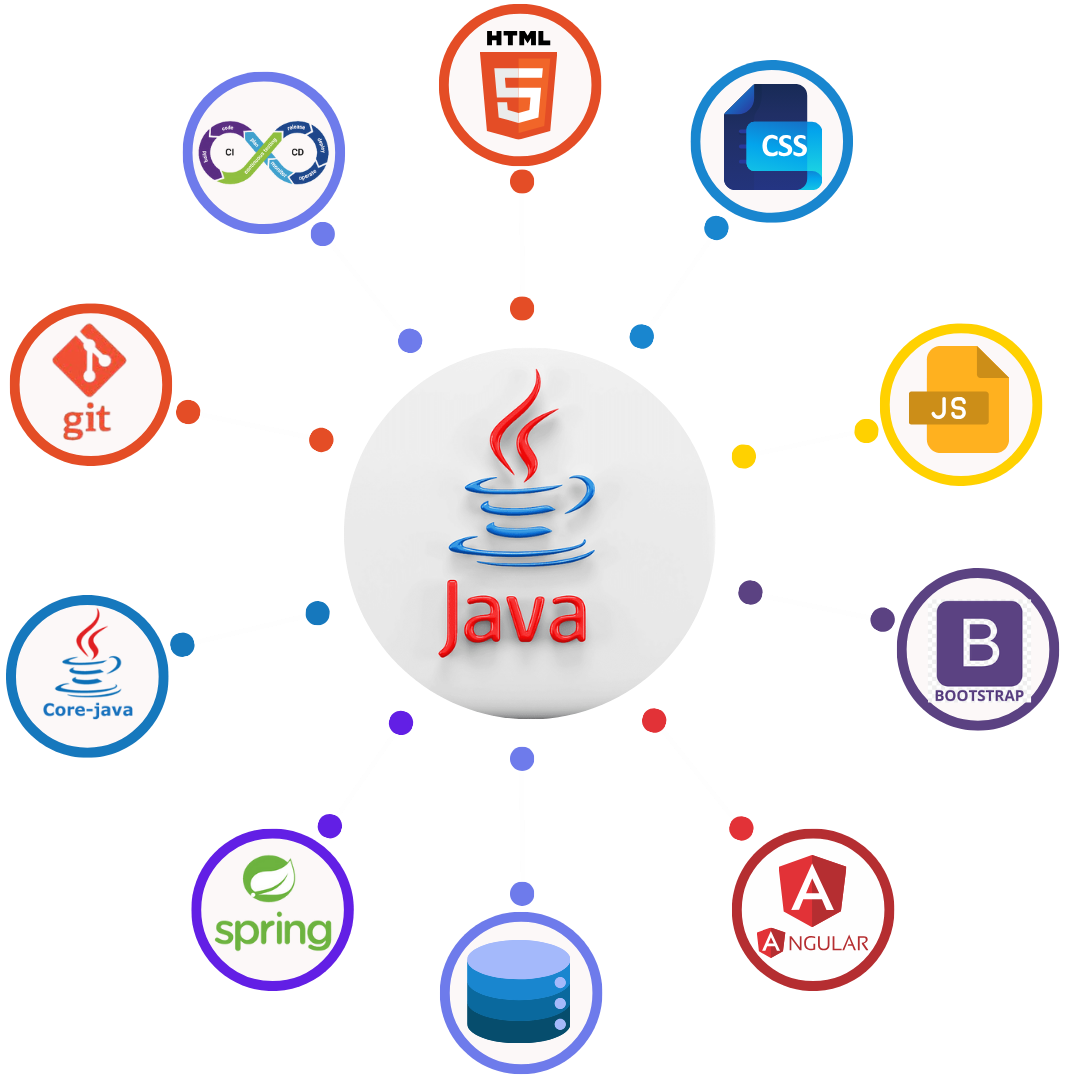
- Familiarity with HTML, CSS, Bootstrap
- Javascript, Typescript
- Front End frameworks like Angular/React/Blazor
Database & Other Tools
- MS SQL Server / MySQL / Oracle
- Version control systems (e.g., Git)
- CI/CD pipelines for deployment
Future Prospects in Java
Java remains a backbone language for enterprise software, banking, telecom, and product companies. Demand in Hyderabad and across India continues for:
- Cloud-native microservices on AWS, Azure, and GCP
- Spring Boot APIs and secure back-end systems
- Full stack teams pairing Java with Angular or React
- DevOps, CI/CD, and containerized deployments
- Android and large-scale integration projects
- AI-assisted development workflows alongside core Java skills
A career in Java offers stability, growth, and opportunities across a wide spectrum of industries. Let us know if you'd like guidance on getting started or advancing in this field!